Choose Your Platform
The Pusat4D app is available on two major platforms — Android and iOS — with equivalent features and experience on both.
Android
Download the APK file directly to your Android device. Compatible with nearly all popular phone brands in Malaysia, including Samsung, Xiaomi, OPPO, vivo and Huawei.
IOS (iPhone & iPad)
IPhone and iPad users can access pusat4d via a direct installation link, fully optimised for the Safari experience and the latest iOS.

Pusat4D's clean, responsive app interface — designed for the comfort of Malaysian players.
How to Download Pusat4D for Android
Follow these simple steps to install the Pusat4D app on your Android device in under 5 minutes.
Note: Since the pusat4d app is distributed as an APK file outside the Google Play Store, you'll need to allow installation from unknown sources in your device settings first. This process is safe and standard practice for online gaming apps.
Register or Login to Your Pusat4D Account
Open pusat4d in your mobile browser. If you don't have an account yet, register first — the sign-up process takes less than two minutes.
Go to the Download Page
After logging in, go to the "Download" section in the main menu or click the download button available on the homepage. You will see options for Android and iOS.
Allow Unknown Sources
Go to your phone's Settings, then Security or Privacy, and enable the "Install apps from unknown sources" option. On Android 8.0 and above, this permission will be requested automatically during installation.
Download APK File
Click the "Download APK" button and wait for the file to finish downloading to your device. Make sure your internet connection is stable throughout the process to avoid a corrupted file.
Install and Open the App
Open the downloaded APK file from your notification panel or file manager. Follow the on-screen installation instructions, then open the Pusat4D app and log in to start playing.
How to Download Pusat4D for iOS
IPhone and iPad users can easily install the pusat4d app using the direct installation link.
Open Safari on your iPhone or iPad
Make sure you are using the Safari browser built into iOS. Third-party browsers such as Chrome may not support the direct app installation process.
Visit the pusat4d Website and Sign In
Enter the pusat4d website address in the Safari address bar. Log in or register a new account if this is your first time using the platform.
Tap the iOS Download Link
Select the iOS download option on the Download page. You will be shown a configuration profile that needs to be installed to allow the app to run on your device.
Allow Profile Installation
IOS will prompt you to confirm the installation of a configuration profile. Go to Settings > General > VPN & Device Management and tap "Trust" on the newly installed profile.
Open the App and Start Playing
Once installation is complete, the pusat4d app icon will appear on your device's home screen. Open the app, log in, and enjoy all available games directly from your iPhone or iPad.

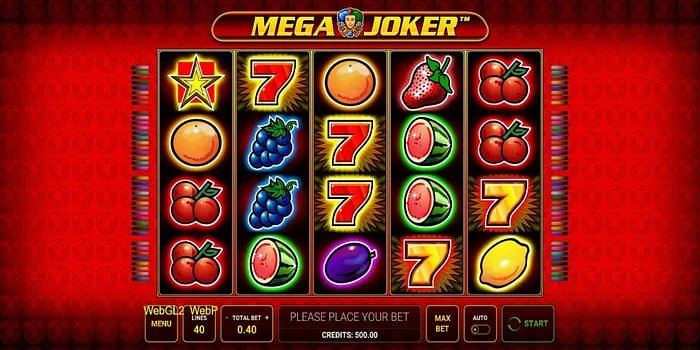
A wide variety of games are available in the pusat4d app — slots, Live Casino, Sports Betting and fish shooting games.
Key Features of the Pusat4D App
The Pusat4D mobile app is built with the latest technology to deliver a smooth and enjoyable gaming experience.
Quick Refresh
Game load time is under 2 seconds, thanks to the built-in asset optimisation technology in the app.
256-bit SSL Encryption
All your data — including account information and financial transactions — is protected with industry-grade encryption.
Push Notifications
Receive instant notifications on your phone whenever there are new promotions, exclusive bonuses, or important updates from pusat4d.
Built-In Dark Mode
A dark interface that's easy on the eyes, perfect for long gaming sessions without visual strain.
Easy Deposits & Withdrawals
Manage all your financial transactions directly within the app — DuitNow, bank transfers, e-wallets, and more.
HD Live Casino Streaming
Enjoy Live Casino games with real dealers in smooth HD video quality, even on a 4G connection.
Biometric Login
Use fingerprint or facial recognition to log in faster and more securely — no need to type your password every time.
Weak Connection Mode
The Pusat4D app is optimised to perform well even in areas with limited internet coverage.
Minimum System Requirements
Please ensure your device meets the following minimum specifications before installing the pusat4d app.
| Specifications | Android | IOS |
|---|---|---|
| Minimum OS Version | Android 6.0 (Marshmallow) | IOS 13.0 |
| Minimum RAM | 2 GB | 2 GB |
| Storage Space | 100 MB (after installation) | 120 MB (after installation) |
| Internet Connection | 3G / 4G / WiFi | 3G / 4G / WiFi |
| Recommended Screen Size | 5 inches and above | IPhone 6S and above |
| Processor | Quad-core 1.4 GHz | Apple A9 or above |

The Pusat4D app is optimised for a wide range of Android and iOS devices in Malaysia.
Why So Many Malaysian Players Choose the pusat4d App
Playing via mobile app has become the top choice for most players today, and for good reason. With increasingly busy schedules, the convenience of launching your favourite games within seconds from your phone is something that truly changes how people enjoy online entertainment. That's exactly what Pusat4D offers through its app — a complete, fully-featured gaming experience without needing to sit in front of a computer.
One of the most frequently praised qualities of the pusat4d app is its stability. Unlike some gaming apps that crash or slow down during peak hours, the pusat4d app is built on server infrastructure capable of handling large numbers of concurrent users without compromising gameplay quality. This means even on a Saturday night when traffic is at its highest, your gaming experience stays smooth and responsive.
On the security front, Pusat4D takes a very serious approach. Every in-app session is protected by 256-bit SSL encryption, ensuring your personal and financial information remains inaccessible to any third party. Two-factor authentication is also available for users who want an extra layer of security, and an unusual activity detection system runs around the clock to keep your account safe at all times.
Games Available in the pusat4d App
One major advantage of the pusat4d app over many other platforms is the sheer breadth of games available right at your fingertips. With over 1,000 games accessible through the app, you'll never run out of options even after weeks of use.
- Video Slots — Hundreds of slot titles from the world's leading providers, spanning diverse themes from classic three-reel slots to modern video slots with interactive bonuses and win-multiplier features.
- Live Casino — Real dealer games broadcast live in HD video quality. Options such as Baccarat, Blackjack, Roulette, and Dragon Tiger are available across multiple tables and wagering limits.
- Sports Betting — Place bets on a wide range of global sports events including football, basketball, tennis, and esports, with competitive odds and live updates.
- Fish Shooting — Popular fish shooting games among Malaysia players featuring stunning graphics, a variety of weapons, and multiplied prize rewards.
- Lottery & Numbers — A variety of number-based games with transparent and frequent draw results.
Advantages of Playing via App vs. Web Browser
Many people wonder whether there's a meaningful difference between playing on the pusat4d mobile app versus directly through a mobile web browser. The answer is yes — there's quite a noticeable difference, and it all favours a better experience through the app.
First, speed. The pusat4d mobile app stores core game assets locally on your device, which means load times are significantly shorter compared to accessing via a browser. This is especially noticeable when you're in an area with an unstable internet connection.
Second, in terms of user experience — the app is designed specifically for touchscreens, meaning all buttons, sliders, and interactive elements are optimised for finger use rather than a mouse. This makes the overall gaming experience more intuitive and enjoyable. A web browser, while usable, doesn't always deliver the same level of smoothness as it has to navigate the browser's own technical limitations.
Third, exclusive features such as push notifications, biometric login, and low-connection mode are only available through the mobile app. Players using the app also frequently get early access to exclusive promotions and bonuses not announced through the main website.
Pusat4D APK Download Security
A question frequently asked by new players concerns the safety of installing APK files outside of the Google Play Store. This is a valid and reasonable concern. In the case of pusat4d, the APK files provided are genuine, unmodified, and regularly scanned to ensure they are free from malware or any security threats.
Most importantly, you should only download the pusat4d APK file from official sources — directly through the pusat4d website after logging in. Never download APK files from third-party websites or links received via unknown messages, as such files may be fraudulent and dangerous. As long as you obtain the file from official pusat4d sources, your security is fully guaranteed.
App Updates and Ongoing Support
The pusat4d technical team works continuously to keep the mobile app up to date with new features, performance improvements and security patches. Updates are typically released monthly, and you'll receive an in-app notification when a new version is available.
The update process is straightforward — simply download the latest APK file (for Android) or accept the update via the configuration profile (for iOS) and install it over the existing version. All your settings, game history and account information will be fully preserved during the update.
If you encounter any technical issues with the app — whether related to installation, login, or in-game performance — Pusat4D's customer support team is available 24/7 to assist you via live chat directly in the app or by email. They are trained to handle technical issues on both Android and iOS devices and can guide you step by step to resolve any problem.
Responsible Gaming Reminder: Please play responsibly and only use money you can afford to lose. If gaming activity starts to affect your daily life, visit our Responsible Gaming us for guides and support resources.
Download FAQ
Answers to the most frequently asked questions about downloading and installing the Pusat4D app.